 Free · No account · No telemetry
Screenshots and screen recording for Mac. Free.
Kadr captures, annotates and beautifies screenshots, records your screen to MP4 or GIF and finds text inside your images — a free replacement for paid screenshot tools.
Everything you need, nothing to pay
Every feature is unlocked. No trial, no subscription, no sign-up.
Capture like macOS
Area, window with shadow or full screen. ⌘⇧4 and ⌘⇧3 work as usual, with a preview in the corner.
Annotate
Arrows, shapes, text, numbered steps, highlighter, blur, pixelate, spotlight, magnifier, crop and resize.
Beautiful backdrops
Gradients and window, browser, MacBook and iPhone frames — ready for docs, tweets and slides.
Hide private data
E-mails, phone numbers, card numbers and tokens are found and hidden automatically.
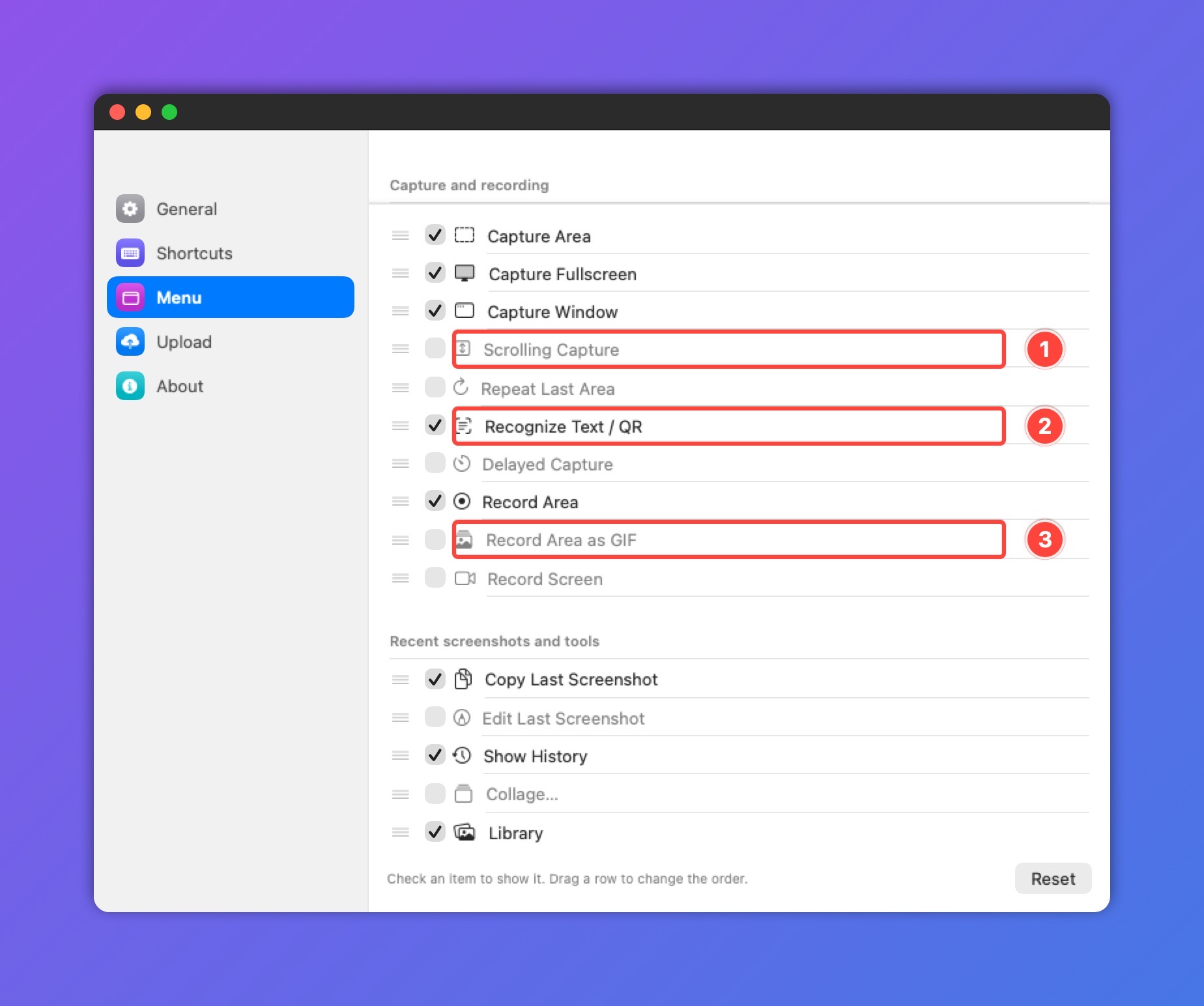
Scrolling screenshots
Capture a long page or chat in one image.
Text & QR recognition
Copy text from any screenshot, read QR codes, search your library by the text inside images.
Screen recording
Record an area to MP4 or GIF, with system audio and microphone (microphone on macOS 15+).
History & collages
Library of recent shots, collages, and pin any screenshot on top of all windows.
Upload & share
Upload to S3, Cloudflare R2 or your own server — the link lands in your clipboard.
Pixel-precise selection
Crosshair with a dot on the exact pixel, a magnifier, or a clean macOS-style selection.
Native and tiny
Swift and AppKit, no Electron. About 3 MB, starts instantly, lives in the menu bar.
14 languages
English, Deutsch, Español, Français, Italiano, Nederlands, Polski, Português, Türkçe, Українська, Русский, 日本語, 한국어, 简体中文.
Install in a minute
Pick any way. Updates install themselves afterwards: Kadr → Check for Updates… → Install and Relaunch.
Open Terminal (⌘ Space → “Terminal”), paste and press Enter:
curl -fsSL https://raw.githubusercontent.com/inkstatim/kadr-releases/main/install.sh | bashDownloads Kadr, checks its signature, installs it to Applications and starts it. Read the script.
brew install inkstatim/kadr/kadrUpdate later with brew upgrade kadr.
Kadr.dmg → drag Kadr to Applications. On first launch macOS says it can’t verify the developer: open System Settings → Privacy & Security → Open Anyway.
On first launch Kadr asks for Screen Recording permission — screenshots don’t work without it. Kadr opens the right setting for you.
Questions
Is it really free?
Yes. Every feature, no limits, no account. If Kadr saves you time, you can buy the developer a coffee.
Why does macOS warn about an unidentified developer?
Kadr isn’t notarized by Apple — that needs a paid developer certificate ($99/year). It’s signed with its own certificate, and the installer verifies that signature before installing. The Terminal and Homebrew installs skip the warning.
Does Kadr send my screenshots anywhere?
No. Screenshots stay on your Mac unless you upload them yourself. There is no analytics. Kadr only goes online to check for updates, once a day.
Which Macs are supported?
macOS 14 Sonoma or later, on Apple Silicon and Intel.
How do I report a bug or suggest a feature?
Write in Telegram: @akm_tims.
☕ Buy me a coffee
Kadr is free. If it helps you, you can support development in crypto. Send only on the network shown — a transfer on another network is lost.
| Coin | Network | Address |
|---|---|---|
| USDT | TRC-20 (Tron) | TAWB59Ux6Zbtn1cgG5DhSXXYnP8xpYSW2U |
| SOL | Solana | 8kn2UnorPSzKVNiDXSsUhLQxcN9PzBrGGC2CYD9oNswQ |
| BTC | Bitcoin | 16eZYwKBSFA6bgRodD2qTMK3KBtUdwXooJ |